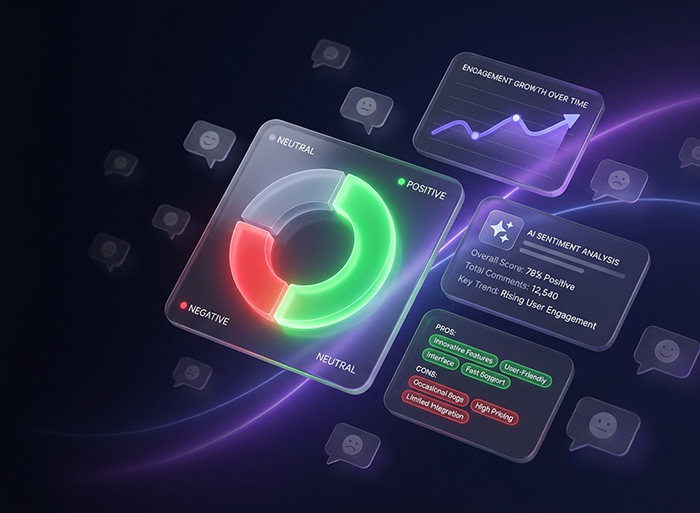
With "Comment Pulse," analyze user sentiments and display intelligent summaries of all comments to your visitors. Deep insights for you, time savings for everyone.
We’ve focused on features that create the most value for site administrators: simplicity, speed, and powerful analytics.
Intelligent Comment Summarizer
The AI summarizes the entire discussion into a short, unbiased paragraph, making the key points immediately clear to everyone.
Automatic AI Analysis
Every new comment is analyzed by GPT artificial intelligence as soon as it's submitted, and its sentiment (positive, negative, or neutral) is identified.
AI-Generated Replies
Enable automatic AI-generated replies to user comments with a customizable tone of voice.
Quick Comment Identification
Color-coded labels in the comment list help you instantly identify negative feedback and address it promptly.
Visual Charts
Track sentiment breakdown with a pie chart and monitor the user satisfaction trend over the last 30 days with a line chart.
Keyword Cloud
Extracts the main keywords from comments (like "price," "support," "quality") and displays them in your dashboard.
Display Shortcode
Turn your brilliant user satisfaction stats into a beautiful widget and showcase it to new customers with an exclusive shortcode.
Negative Comments Widget
A dedicated list of the latest negative comments with a "View and Reply" button for quick action to prevent customer dissatisfaction.
Watch The Plugin Introduction
See how the key features of "Comment Pulse" work in practice and make comment analysis easy for you in under a minute.
WooCommerce Ready
Analyzes product reviews just like regular comments. See exactly how customers feel about each product, and let visitors read an AI summary of the reviews before they buy.
Elementor & Page Builders
Drop the stats widget anywhere with a simple shortcode. Show sentiment for a single post or your entire site, right inside any builder.
Works With Any Theme
The summary box attaches automatically above your comment list, with a fallback placement option for themes that need it. No template editing required.
Powered by OpenAI
Runs on GPT-4o-mini for fast, accurate analysis at a very low cost. Just add your own API key and you're ready to go.
Frequently Asked Questions
Everything you need to know before getting started
No. All you need to do is get an API key from the OpenAI website and paste it into the plugin settings. The process is very simple and requires no programming knowledge.
The OpenAI API cost is based on usage and is extremely low for comment analysis. For example, with just one dollar of credit, you can analyze over a thousand comments, which is highly cost-effective for most websites.
Yes, Comment Pulse is built with standard WordPress code and is fully compatible with all themes and plugins that follow these standards, ensuring no conflicts.
With your purchase, you get 6 months of full support via our ticket system and free lifetime updates. We are constantly improving the plugin and adding new features.